2026-07-08

When Apple Music Wipes Your Library: A Proven Recovery Guide and Real-Time Backup Solution

How a sudden database wipe exposed a gap in my cloud backup strategy, and how I built a self-maintaining, event-driven background automation on macOS to ensure my Apple Music library is protected every single second.

The Nightmare: When the Music Library Disappears

Imagine rebooting your Mac, opening Apple Music, and finding years of meticulously organized music completely gone. That is exactly what happened to me. All my imported tracks ripped from CDs, custom playlists, historic play counts, and "last played" dates vanished. The only items visible were official iTunes purchases waiting to be downloaded from the cloud. The active database had completely reset itself to a blank state.

The Limits of Standard Cloud Backups

I use CrashPlan for my primary system backups, which saved me from total disaster. However, standard cloud backup agents do not always capture live database changes on a real-time, daily basis. My closest available backup point was nearly two weeks old.

Worse yet, restoring the Music Library.musiclibrary file isn't always straightforward. When I initially tried to restore the database and opened Apple Music, the application immediately synced with the cloud, ignored the recovered data, and presented the same blank library.

The Proven Recovery Workflow

To successfully force Apple Music to accept a restored historical database without the cloud overwriting it immediately, you must break its internet connection during initialization. If you are recovering from a corrupt database, use this exact sequence:

  1. Go completely offline: Turn off your Mac's Wi-Fi or unplug your Ethernet cable.
  2. Restore the file: Copy your backed-up Music Library.musiclibrary bundle back to your active media storage directory.
  3. Force-select the library: Hold down the Option (Alt) key on your keyboard and click the Apple Music icon to launch the app.
  4. Choose the path: Click "Choose Library..." from the prompt, navigate to your restored folder, and select it.
  5. Recover missing files added since the last backup: Because the restored database only knows about files trackable up to the backup date, any media imported during the two-week gap will be missing from your library screen. To isolate them precisely, open Finder and navigate to your underlying media storage directory (usually inside Music/Media/Music/). Press Cmd + F to open the search bar. Click the + icon on the far right of the search criteria bar to add a second filter line. Set the first dropdown on this new line to Date Created, change the next dropdown to after, and enter 25/06/2026. Drag and drop these filtered folders back into the Apple Music window to reimport them.
  6. Purge dead listings deleted during the gap: Conversely, any tracks, podcasts, or media items you deleted from your storage drive during that two-week gap will still be listed in your restored database. Because the underlying files no longer exist, Apple Music will display a small exclamation mark icon next to these items when you try to play them. Since these files are gone by choice, you can simply select these listings in Apple Music and delete them to clean up your view.
  7. Reconnect: Once your playlists, metadata, and newly reimported files load successfully on screen, turn your Wi-Fi back on.

Note on data retention: This process successfully brings your playlists, metadata structures, and organization back to the exact date of your backup. However, while the physical media files added during the gap are safely rescued and reimported using this method, their original play counts accumulated between the backup date and the crash date will be lost.

The Ultimate Solution: Real-Time Local Automation

Losing two weeks of metadata tracking proved that I needed a zero-hour backup solution. I built an event-driven automation loop using native macOS architecture: LaunchAgents and an optimized Bash engine script.

This system does not rely on rigid hourly schedules or heavy background apps. Instead, macOS actively monitors the internal database file (Library.musicdb). The exact millisecond you close Apple Music or make a change to a playlist, the system notices the file change, backs up your live snapshot to iCloud Drive, preserves previous versions with accurate timestamps, and cleanly purges files past a 48-version limit to save space.

How to Set It Up on Your Mac

Follow these steps to deploy this automated tracking system. Make sure to replace your_username with your actual macOS short username, and YourVolumeName with the name of your media drive.

Step 1: Create the iCloud Directory Structure

Open your Terminal app (found in Applications > Utilities) and create the folder where your configurations, rolling logs, and database snapshots will live safely in the cloud:

mkdir -p "~/Library/Mobile Documents/com~apple~CloudDocs/Music/iTunes_Backup"

Step 2: Generate the Core Backup Engine Script

Run the following command block to write the automation script directly into your new iCloud directory. Be sure to change the SRC volume name to match your specific drive storage path.

cat << 'EOF' > "/Users/your_username/Library/Mobile Documents/com~apple~CloudDocs/Music/iTunes_Backup/backup_music_library.sh"
#!/bin/bash
SRC="/Volumes/YourVolumeName/Music Library.musiclibrary"
DEST_DIR="/Users/your_username/Library/Mobile Documents/com~apple~CloudDocs/Music/iTunes_Backup"
TARGET="$DEST_DIR/Music Library.musiclibrary"
LOG_FILE="$DEST_DIR/backup_music_log.txt"
ERR_FILE="$DEST_DIR/backup_music_errors.txt"
TIMESTAMP=$(date +"%Y%m%d_%H%M%S")

mkdir -p "$DEST_DIR"

if [ -f "$LOG_FILE" ]; then
    tail -n 200 "$LOG_FILE" > "${LOG_FILE}.tmp" && cat "${LOG_FILE}.tmp" > "$LOG_FILE" && rm "${LOG_FILE}.tmp"
fi
if [ -f "$ERR_FILE" ]; then
    tail -n 200 "$ERR_FILE" > "${ERR_FILE}.tmp" && cat "${ERR_FILE}.tmp" > "$ERR_FILE" && rm "${ERR_FILE}.tmp"
fi

echo "--- Error log marker: \$(date) ---" >> "$ERR_FILE"
START_ERR_SIZE=\$(stat -f%z "$ERR_FILE" 2>/dev/null || echo 0)

echo "--- Backup process started: \$(date) ---"

if [ -d "$TARGET" ]; then
    MOD_TIME=\$(stat -f "%Sm" -t "%Y%m%d_%H%M%S" "$TARGET")
    ARCHIVE_NAME="${TARGET}_\${MOD_TIME}"
    
    if [ -d "\$ARCHIVE_NAME" ]; then
        ARCHIVE_NAME="\${ARCHIVE_NAME}_\$(date +"%H%M%S")"
    fi
    
    mv "$TARGET" "\$ARCHIVE_NAME" 2>> "$ERR_FILE"
    echo "Archived previous backup to: \$(basename "\$ARCHIVE_NAME")"
fi

rsync -a --exclude='*.tmp' --exclude='.DS_Store' "$SRC/" "$TARGET" 2>> "$ERR_FILE"

BACKUP_SIZE=\$(du -sh "$TARGET" | awk '{print \$1}')
echo "Successfully created current backup bundle (Size: \$BACKUP_SIZE)."

cd "$DEST_DIR" && ls -td "Music Library.musiclibrary_"* 2>/dev/null | tail -n +49 | xargs -I {} rm -rf "{}" 2>> "$ERR_FILE"
echo "Cleaned up old archives keeping the 48 most recent."
echo "--- Backup process finished safely ---"
echo ""

END_ERR_SIZE=\$(stat -f%z "$ERR_FILE" 2>/dev/null || echo 0)
if [ "\$END_ERR_SIZE" -eq "\$START_ERR_SIZE" ]; then
    > "$ERR_FILE"
fi
EOF

Step 4: Create the Background Launch Agent

Generate the macOS service file. This acts as an automated system daemon, keeping a direct watch on your primary database database index file (Library.musicdb):

cat << 'EOF' > ~/Library/LaunchAgents/com.user.musicbackup.plist
&lt;?xml version="1.0" encoding="UTF-8"?&gt;
&lt;!DOCTYPE plist PUBLIC "-//Apple//DTD PLIST 1.0//EN" "http://www.apple.com/DTDs/PropertyList-1.0.dtd"&gt;
&lt;plist version="1.0"&gt;
&lt;dict&gt;
    &lt;key&gt;Label&lt;/key&gt;
    &lt;string&gt;com.user.musicbackup&lt;/string&gt;
    &lt;key&gt;ProgramArguments&lt;/key&gt;
    &lt;array&gt;
        &lt;string&gt;/bin/bash&lt;/string&gt;
        &lt;string&gt;/Users/your_username/Library/Mobile Documents/com~apple~CloudDocs/Music/iTunes_Backup/backup_music_library.sh&lt;/string&gt;
    &lt;/array&gt;
    &lt;key&gt;WatchPaths&lt;/key&gt;
    &lt;array&gt;
        &lt;string&gt;/Volumes/YourVolumeName/Music Library.musiclibrary/Library.musicdb&lt;/string&gt;
    &lt;/array&gt;
    &lt;key&gt;StandardOutPath&lt;/key&gt;
    &lt;string&gt;/Users/your_username/Library/Mobile Documents/com~apple~CloudDocs/Music/iTunes_Backup/backup_music_log.txt&lt;/string&gt;
    &lt;key&gt;StandardErrorPath&lt;/key&gt;
    &lt;string&gt;/Users/your_username/Library/Mobile Documents/com~apple~CloudDocs/Music/iTunes_Backup/backup_music_errors.txt&lt;/string&gt;
&lt;/dict&gt;
&lt;/plist&gt;
EOF

Save an extra backup duplicate copy of this system definition file straight inside your iCloud folder, protecting the entire configuration structure from local drive failure:

cp ~/Library/LaunchAgents/com.user.musicbackup.plist "/Users/your_username/Library/Mobile Documents/com~apple~CloudDocs/Music/iTunes_Backup/com.user.musicbackup.plist"

Step 5: Load and Activate the Engine

Register the configuration settings with your system's user daemon environment to turn on the background tracking loop:

launchctl bootstrap gui/$(id -u) ~/Library/LaunchAgents/com.user.musicbackup.plist

Step 6: Run a Verification Check

Force an out-of-cycle diagnostic trigger to ensure all paths and systems read correctly:

launchctl start com.user.musicbackup

Expected Operational Log Format

Open backup_music_log.txt inside your iCloud directory. You will find a perfectly compiled history status block showing the calculation of your active database footprint size:

--- Backup process started: Wed Jul  8 13:06:05 BST 2026 ---
Archived previous backup to: Music Library.musiclibrary_20260708_130029_130605
Successfully created current backup bundle (Size: 2.1G).
Cleaned up old archives keeping the 48 most recent.
--- Backup process finished safely ---

Summary

You now have a fully automated, event-driven backup loop that tracks your Apple Music changes in real time. Because the entire framework—including scripts, log outputs, recovery guides, and launch agents—is completely consolidated in iCloud Drive, your library environment is entirely disaster-proof. If you ever have to completely replace your Mac, you will never lose weeks of metadata tracking or play history again.

2026-01-08

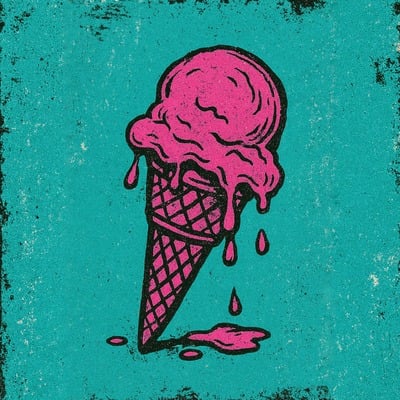
New Music: Ice Cream Song - By The Sextion (A PlasticSole Subdivision)

Ice Cream Song Cover Art - The Sextion

The Follow-Up

Fresh from the success of Billionaires & Presidents, the trio of Jamie, Simon, and Steven return as The Sextion. This isn't your standard summer anthem. Ice Cream Song is a high-octane indie-punk explosion that juxtaposes childhood sweetness with the biting, frantic reality of adult relationships turned sour.

Whether you crave the raw, unedited Original Mix, the nostalgic, beep-filled parody of The Shirehorses Mix, or the polished Radio Edit for the airwaves, we have your fix.

2025-12-08

The Purchased Pantheon: My Top 10 Albums of the Year

🎧 Ah, the annual ritual. While others fret about Spotify's algorithmic pronouncements, that ephemeral Wrapped business, I stand apart, firmly in the analogue glow of ownership. My list, my music, is a record of deliberate, tactile acquisition; this ranking is a document of weight, of currency exchanged for the enduring right to listen, repeatedly, without any of that bothersome 'streaming' nonsense. This is my true top ten, a carefully calibrated order of records that earned their spot in my collection this year.

2025-11-15

Three Decades of Din: PlasticSole Unloads a Chaotic 'Helter Skelter' Cover for our 30th Anniversary!

Three Decades of Din: PlasticSole Unloads a Chaotic 'Helter Skelter' Cover for our 30th Anniversary!

Thirty years, eh? A blink in the cosmic eye, yet a lifetime in the glorious, cacophonous indie rock scene. From Milton Keynes' quiet corners to the bustling air of Hilversum, we've been stitching together disparate sounds, a quilt of pop sensibility and absolute, unforgiving noise. This anniversary demands a statement, something utterly unhinged, a proper celebration of the absurdity and the art.

2025-11-13

PlasticSole Presents: WARREN T

PlasticSole Presents: WARREN T

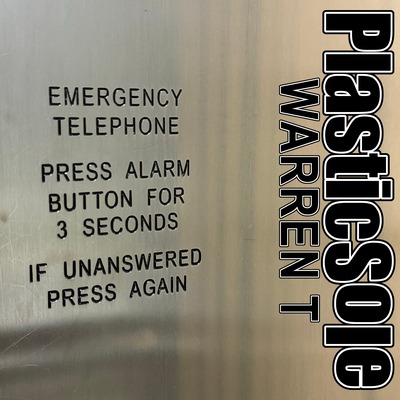
Your Essential Boxing Day Soundtrack. The Kinetic Truth of the Post-Gift Reckoning.

PlasticSole Warren T Single Cover Art - Boxing Day Release

2025-10-31

PlasticSole's New Single: YARD RAT BOYS

PlasticSole's New Single:
YARD RAT BOYS

The noise where Hard Rock slams into authentic Indie Pop. It's here.

The Noise Has Arrived

The monochromatic cover art for Yard Rat Boys, featuring four silhouetted figures on the roof of an old industrial building against a cloudy sky.

Cover Image: Captured by Drummer Steven Brindle, Milton Keynes, April 2024.

2025-09-29

Setting Up a Home VPN on Your Raspberry Pi: The Ultimate Guide

Deploying a Secure Home VPN with OpenVPN on Raspberry Pi

For users who prefer the robust, widely-supported protocol of OpenVPN, setting up a private home VPN on a Raspberry Pi remains a highly effective solution. This guide walks you through the installation using PiVPN and provides specific instructions for accessing the configuration files and deploying them on popular travel routers like the GL.iNet Mango (GL-MT300N-V2) or Opal (GL-SFT1200).

2025-09-10

New Single: Angela Rayner

The public squares and digital arenas now reverberate with a singular, echoing discord; the tribal roar drowns out all measured dialogue. A single figure, a lone tax issue, becomes the battleground where allegiances are forged or shattered, rendering any form of temperate consideration utterly extinct. The binary of our political moment, you see, dictates a picking of sides with no space left for the quiet, dispassionate appraisal of facts. It's a curious devolution where professional failure, a genuine inability to fulfill a brief—to build homes, to heal a struggling health-service, or to manage migratory flows, often pales next to a private misstep. Our collective political heart has supplanted our head, and emotion now sits as the primary arbiter of public consequence.

This is not a song about Angela Rayner.

This is not a song about Angela Rayner.

There is a long, long line to politicians before her who should have done better.

Perhaps, we get the rulers we deserve.

2025-08-14

Can Twin Peaks be explained?

Executive Summary

This post critically analyses the YouTube video "Twin Peaks ACTUALLY EXPLAINED (No, Really)", produced by Twin Perfect, which purports to offer a definitive interpretation of David Lynch and Mark Frost's seminal television series.  While the video presents a compelling, thoroughly researched, and singular thesis, primarily focusing on Twin Peaks as a meta-commentary on television violence and Laura Palmer's trauma, this analysis argues that such a reductive approach ultimately diminishes the work's inherent ambiguity and multi-layered artistic intent.  Drawing upon critical responses, particularly Maggie Mae Fish's rejoinder and David Lynch's stated philosophy on artistic interpretation, this post concludes that Twin Peaks thrives precisely because it resists singular explanations, inviting diverse, subjective experiences rather than demanding a definitive solution.  The pursuit of a definitive "explanation" for Lynch's surrealist art often misses its core essence: to be felt and experienced, leaving room for individual rumination and varied interpretations.

The very act of creating a video that promises to "ACTUALLY EXPLAINED (No, Really)" a work as complex as Twin Peaks highlights a fundamental tension present in the consumption of art.  This tension exists between an audience's innate desire for cognitive closure, a need to understand and categorise, and an artist's deliberate cultivation of ambiguity.  The title itself functions as a marketing hook, tapping into a perceived need for clarity regarding a notoriously ambiguous show[1].   David Lynch, a co-creator of Twin Peaks, has consistently expressed a preference for his work to be "experienced, felt"[2, 3], actively resisting attempts to provide definitive interpretations[1, 3].  This creates a direct philosophical conflict between the creator's intent and certain audience expectations.  The popularity of such "explanation" videos, as suggested by their persistent presence in YouTube algorithms, underscores a broader cultural trend where complex media is increasingly consumed as a "riddle with a solution"[3].  This approach, while satisfying a human cognitive bias towards finding order in chaos, may inadvertently diminish the experiential and subjective dimensions that are integral to the artistic design of works like Twin Peaks.

For those looking to dive deeper into the show and develop their own unique insights, consider using the Twin Peaks Viewing Companion.  It provides a structured way to track episodes, note observations, and engage with the series on a personal level, fostering your own conclusions about its mysteries.

2025-07-08

2025-09-06 Amersham Arms, London

GIG CANCELLATION

Amersham Arms, London - 6th September 2025

We are incredibly sorry to announce that our upcoming show at the Amersham Arms in London on Saturday, 6th September 2025 has been cancelled due to circumstances beyond our control.

We are gutted that we won't be able to play for you and want to sincerely apologize for any inconvenience this may cause. We were really looking forward to this gig and we understand the decision was not made lightly.

All tickets should be automatically refunded by the ticket provider. If you have any issues with your refund, please contact them directly.

Thank you for your understanding and continued support.

— The PlasticSole Team

For more updates, follow us on our social media channels.

2025-06-29

2025-06-29 Festival Republic 2025: A Sonic Journey at Crystal Palace Park

On Sunday 29th June 2025, Crystal Palace Park transformed into a haven for music lovers as Festival Republic brought together an eclectic lineup headlined by the legendary Deftones. The Italian Terraces echoed with sounds ranging from soulful jazz to blistering industrial metal, offering a day of sonic exploration that was as unpredictable as it was unforgettable.

2025-06-28

2025-06-28 Linkin Park at Wembley: A Night of Power, Poise, and Heart

On Saturday 28th June 2025, Linkin Park took the stage at Wembley Stadium for what was billed as their biggest show ever. Part of the From Zero World Tour, the night was a celebration of resilience, connection, and the enduring power of music to move us—even when words fall short.

2025-06-25

Navigating the Noise: A Musician's Essential Guide to Spotting Legitimate Music Promotion

Hey fellow artists,

We all know the dream: pouring our heart and soul into creating music, then watching it connect with listeners around the world.  But in today's crowded digital landscape, getting your tracks heard can feel like shouting into a hurricane.  The internet is buzzing with companies promising to boost your streams, get you on playlists, and make you the next big thing.  It's exciting, but also incredibly confusing — and sometimes, downright risky.

2025-06-24

Your Roadmap to Real Streams: The Independent Artist's Blueprint for Organic Growth

Hey fellow artists and music creators,

In today's vibrant but incredibly crowded music scene, simply making great music isn't enough.  With tens of thousands of new songs hitting streaming platforms every single day, getting your tracks heard by genuine listeners and building a sustainable career can feel like an uphill battle.   We've all seen the promises of overnight success, but navigating the world of music promotion can be confusing, costly, and sometimes, even risky.

2025-06-22

2025-06-22 Forever Now Festival 2025: A Day of Sonic Nostalgia and Surprises

Milton Keynes Bowl played host to the inaugural Forever Now Festival, a celebration of post-punk, new wave, goth, and alternative rock. With a lineup stacked with legends and cult favourites, the day unfolded like a mixtape of musical eras—chaotic, polished, droney, and euphoric.

2025-06-14

2025-06-14 Download Festival 2025: Echoes of Donington Past and Present-Day Pains

I took my kids to their first festival on the Saturday this year, and while it didn’t quite match the glory days of Donington—those unforgettable Monsters of Rock events in 1990, ’91, ’92, and ’95—it still had its moments. The weather was kind, with just 20 minutes of rain, and we came prepared. No soggy socks, no drama.

2025-06-13

Philosophical David

Dear Listener!

When we were teenagers, we were going to be Rockstars.

Its only taken 30 odd years, but in April this year we got the chance to fulfil that dream, when we got the chance to record a couple of tracks for a proper, independent Recording Company.

2025-06-07

"Billionaires & Presidents" by The Sextion (a sub-division of PlasticSole) - A Rapid-Fire Commentary on Power

"Billionaires & Presidents" is a cynical and critical commentary on the close, often corrupt, relationship between powerful political figures (Presidents) and wealthy individuals (Billionaires and Oligarchs). The track implies a system where these elites mutually benefit at the expense of ordinary people.

2025-05-25

2025-05-25 Anfield Ascension: Liverpool Crowned Champions, My Treble Complete

On Sunday 25th May 2025, Anfield erupted in a sea of red as Liverpool lifted the Premier League trophy after a 1–1 draw against Crystal Palace. It was a moment decades in the making—the first time since 1990 that the Reds hoisted the league title in front of a packed home crowd. For me, it marked something even more personal: the completion of my domestic treble of trophy lifts.